
Features
Everything a car workshop needs: from the calendar and appointments, through customer communication, to parts orders and statistics.
A clear calendar
All appointments in one place, with employee assignments and dates easy to see.
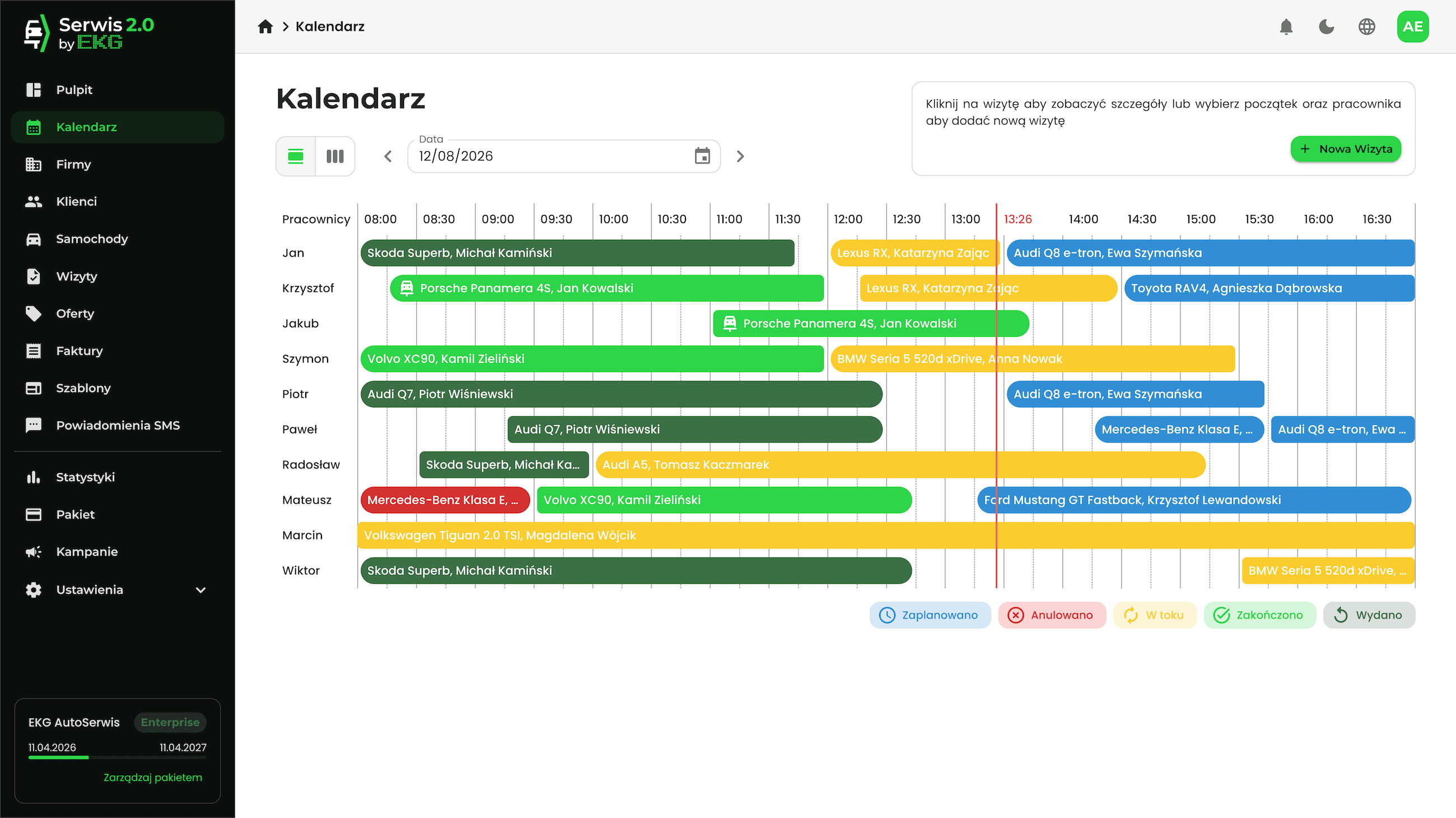
Team calendar
Day and week views for every employee. An appointment can be split into time segments and assigned to different people.
Weekly view
Easily book multi-day appointments or see what the whole week's schedule looks like.
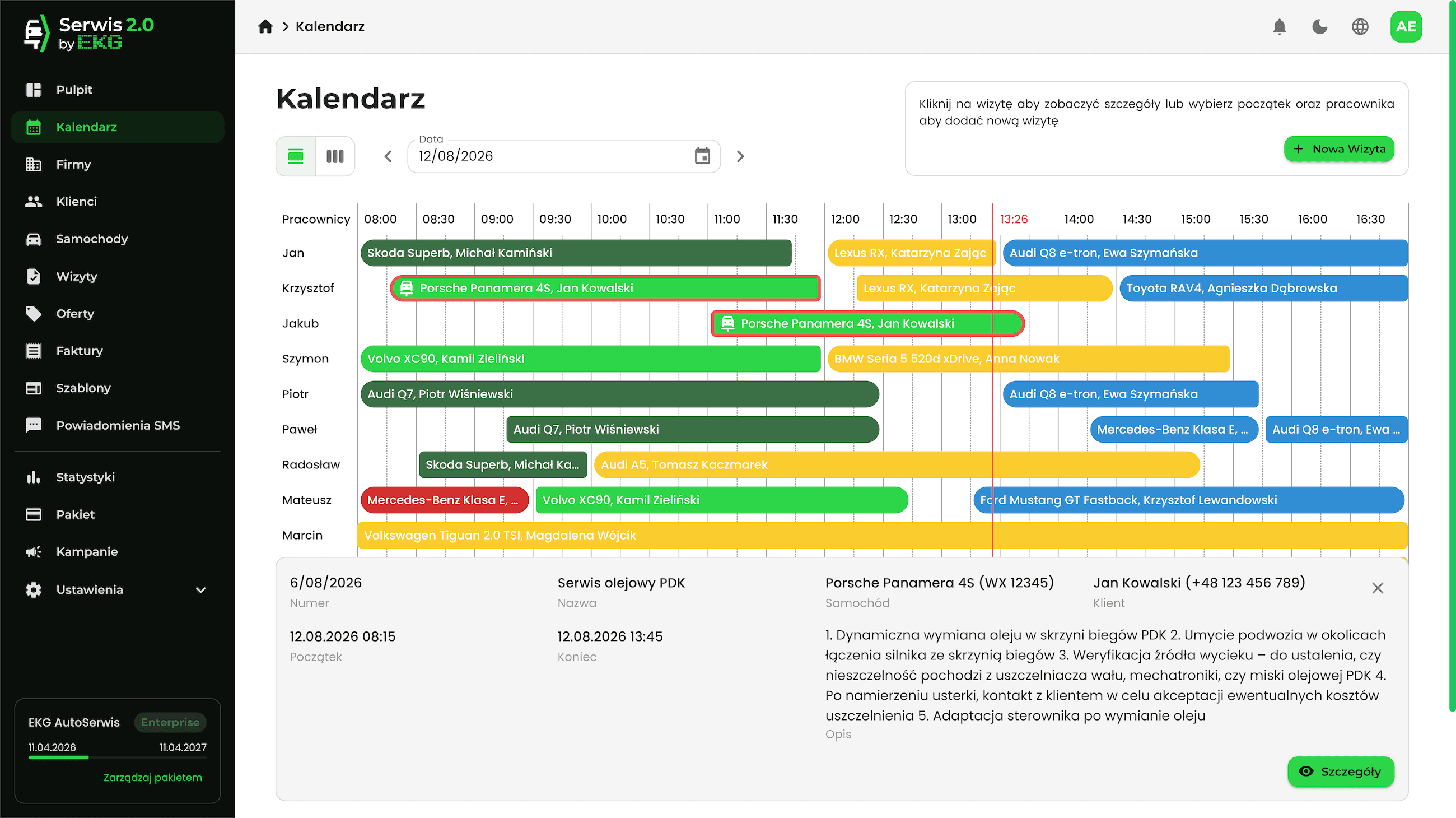
Appointment preview
The key information about an appointment, available without closing the calendar.
Easy appointment identification
Thanks to the clock, you always know which cars should be in service, and colour-coded appointment statuses with short descriptions help you find your way around the schedule.
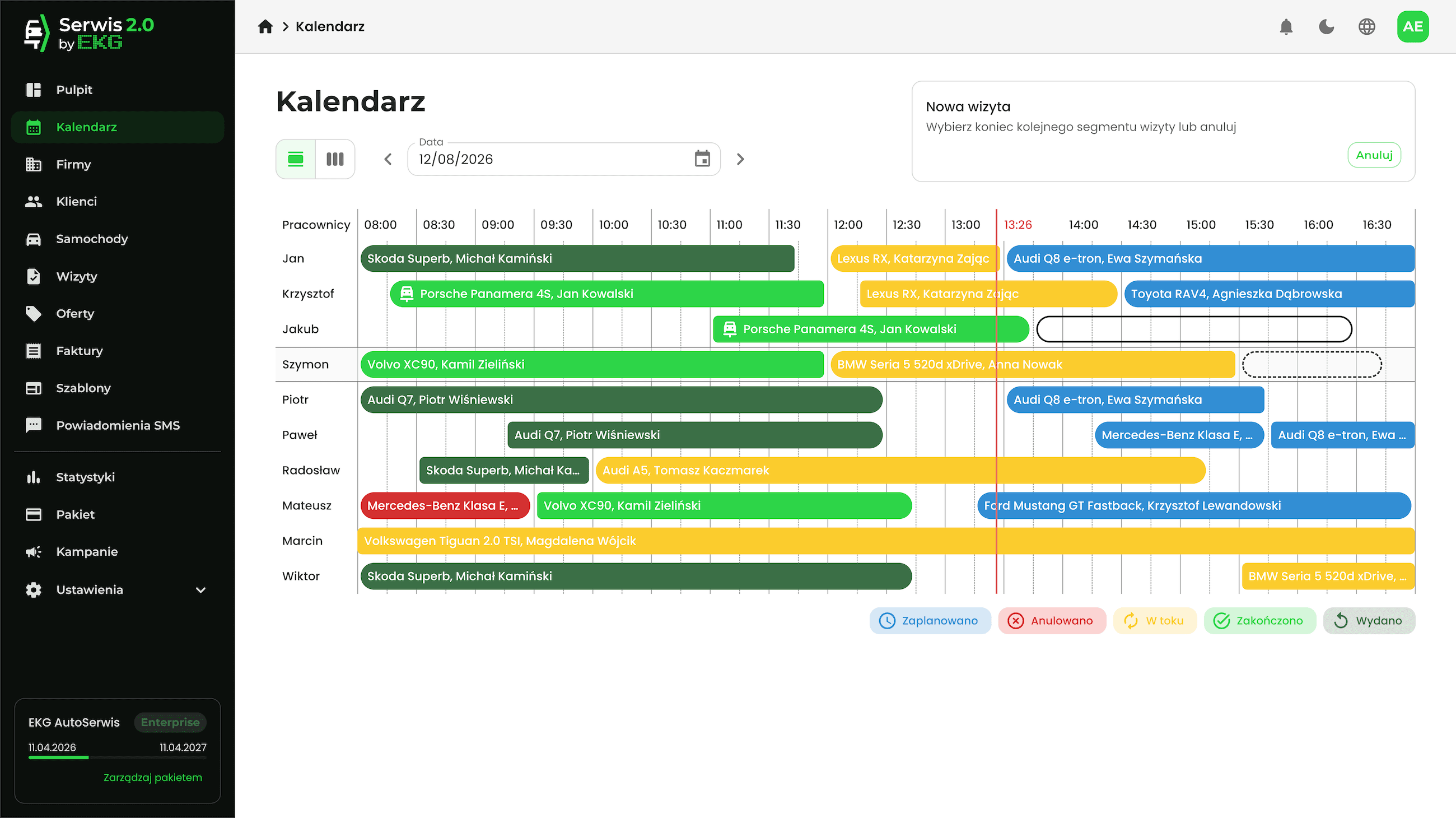
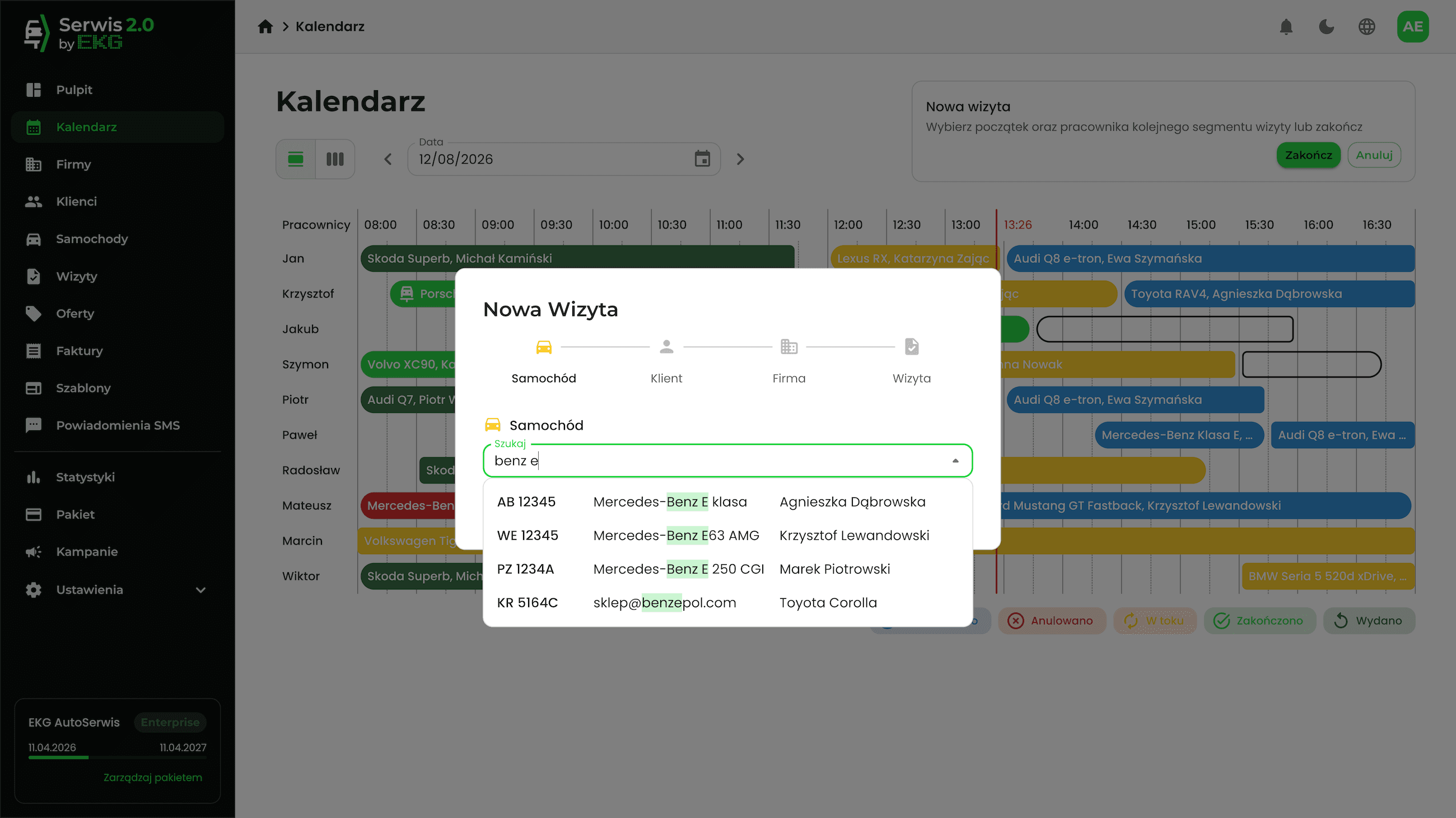
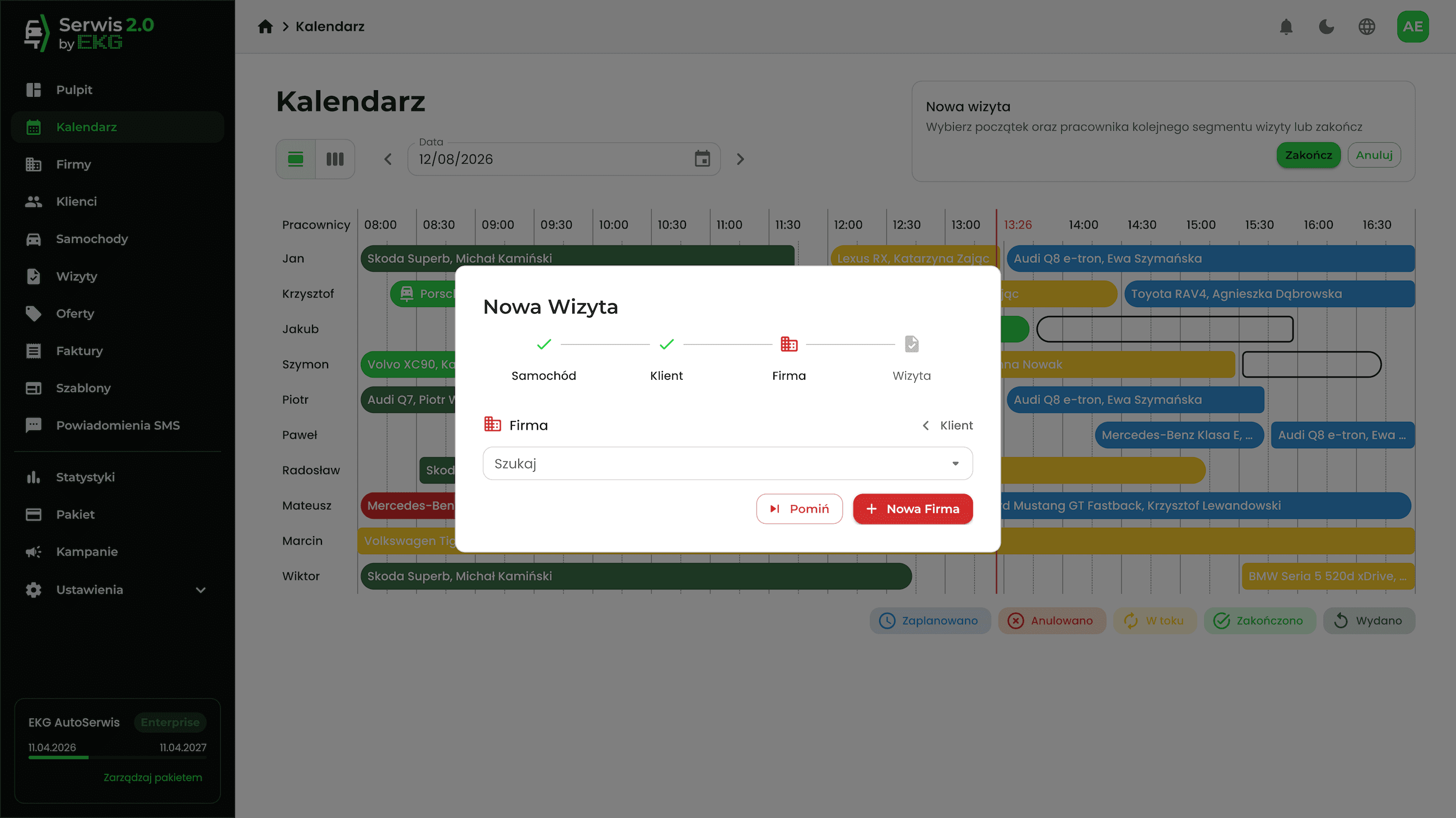
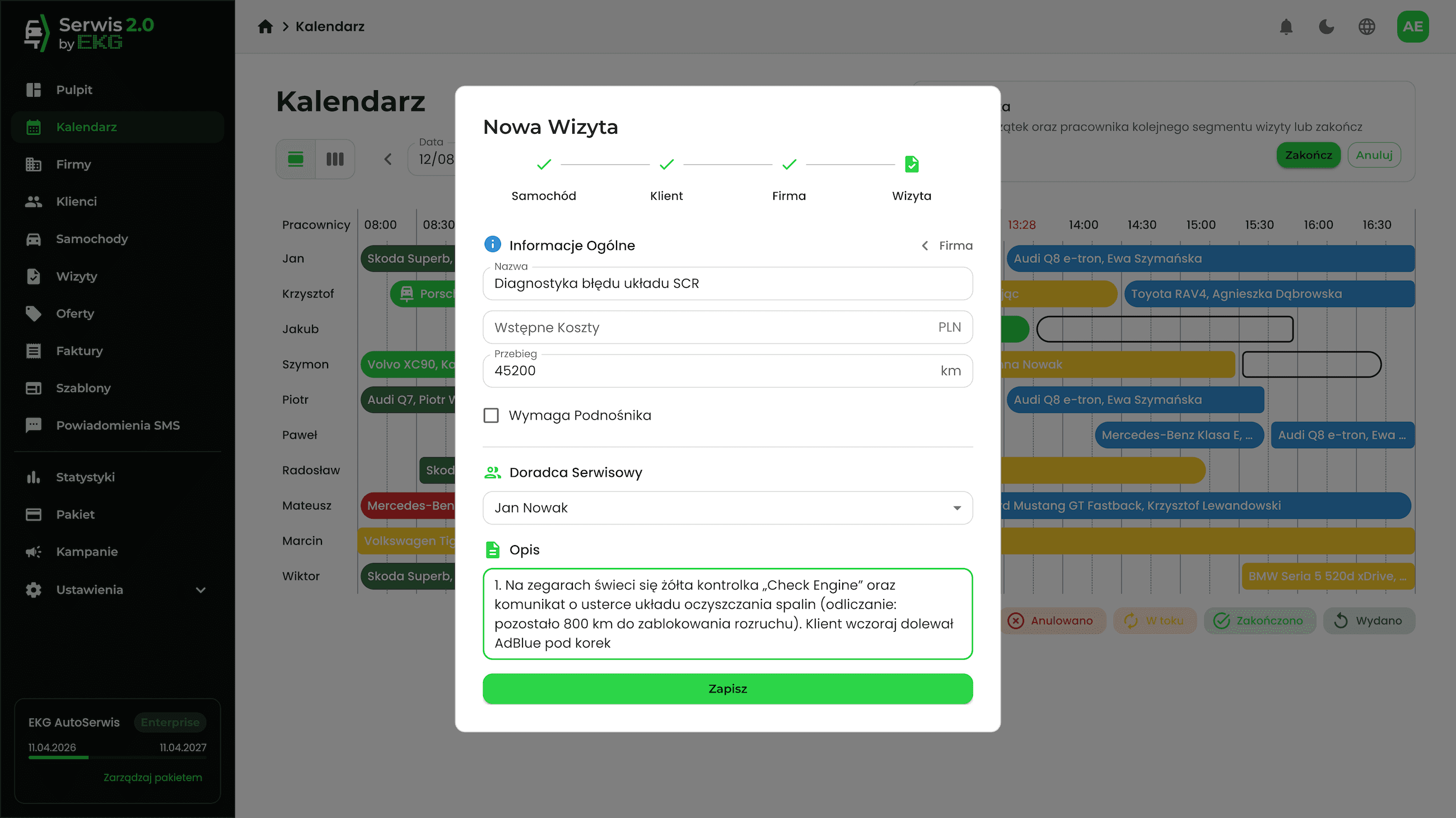
Intuitive appointment booking
Just select time slots in the calendar to book an appointment. You can even add a new client and car here without leaving the calendar.
Appointments
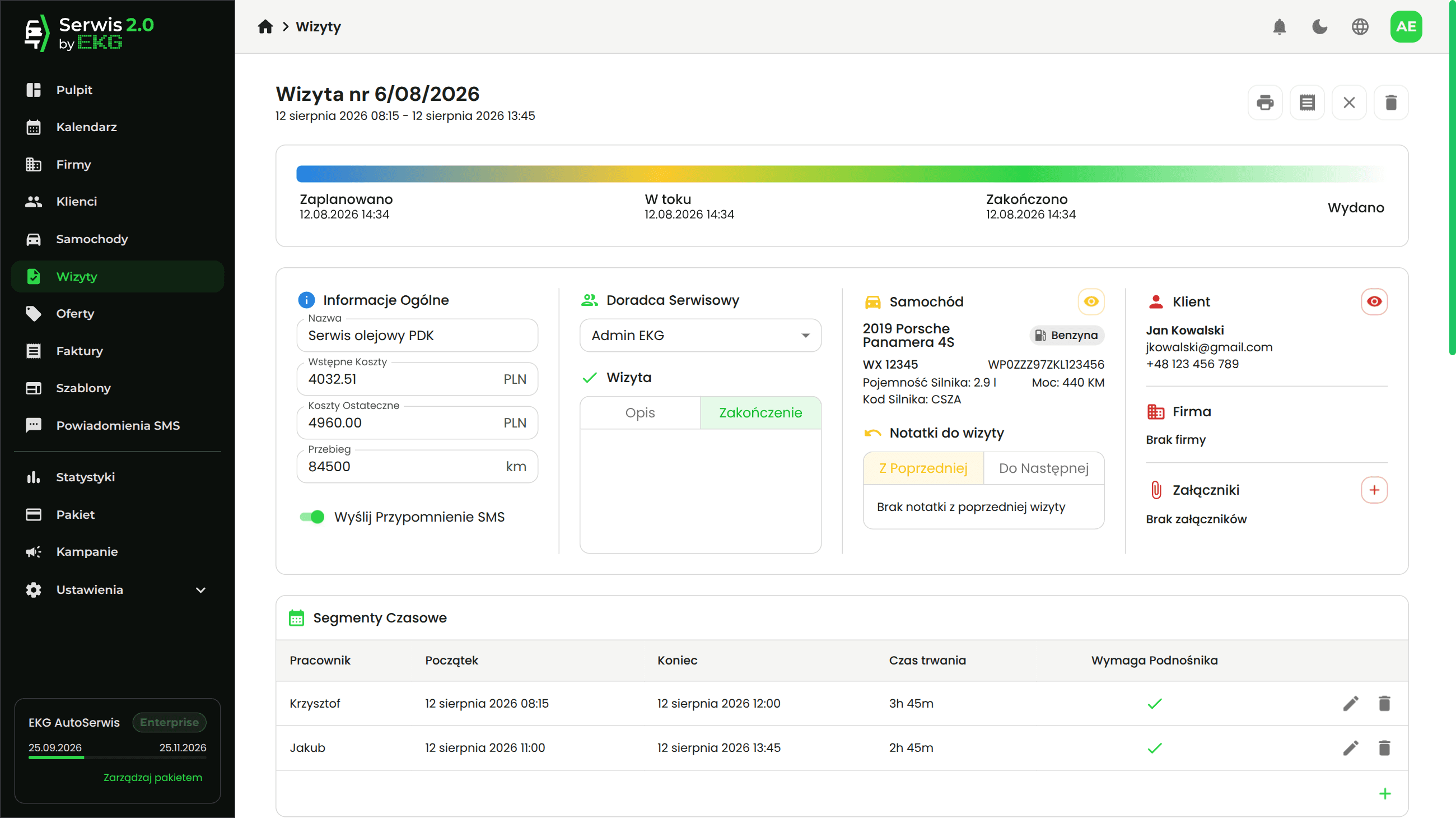
The whole workshop day on one screen, and everything an advisor needs in the appointment.
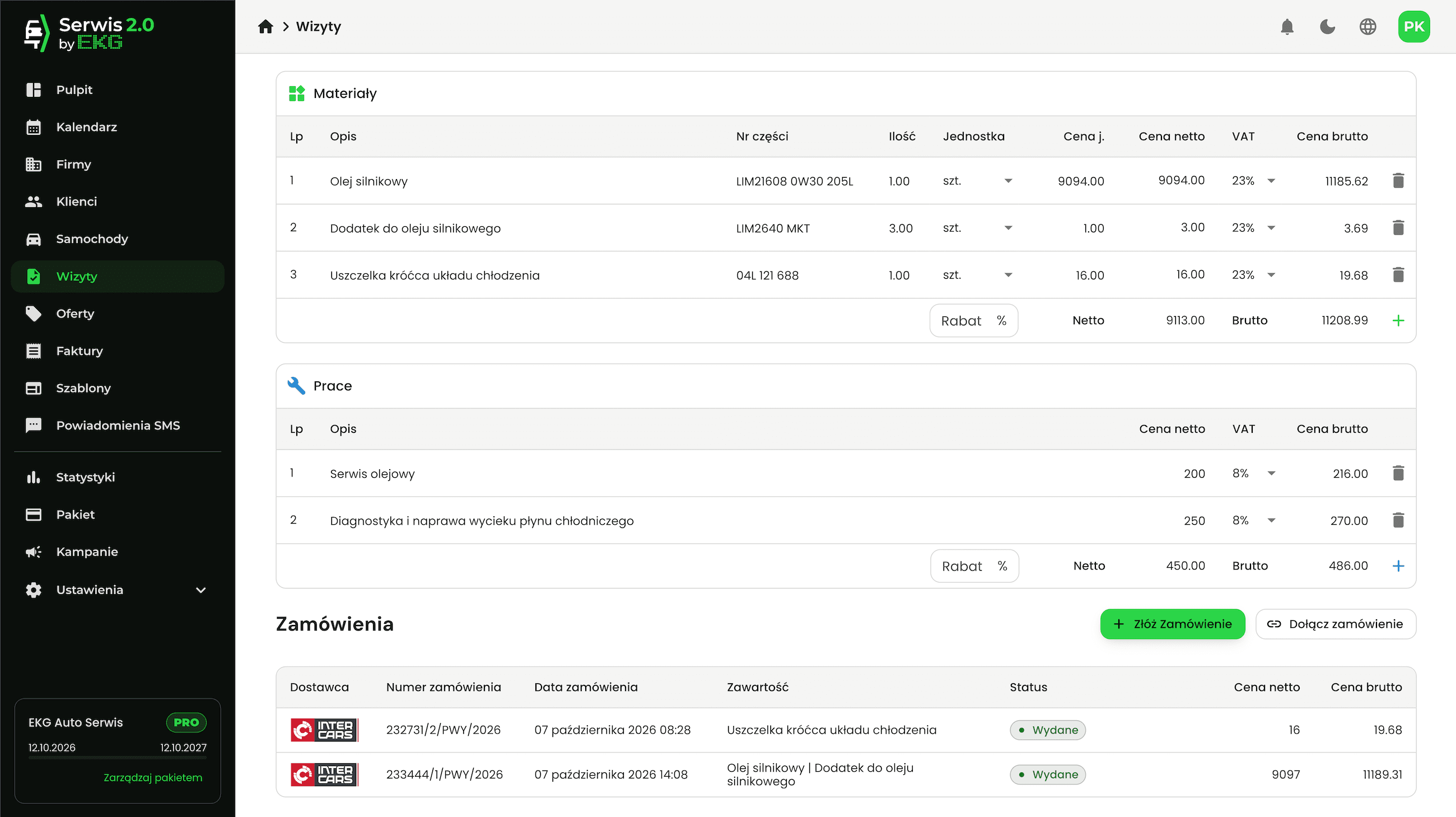
Specification and estimate
Materials and labour with prices in one place, and the estimate recalculated with one click.
Job templates
Add items from a ready-made template or save an appointment's specification as a new template.
Complete data at admission and completion
Enter the mileage at admission, and the final cost and a description of the work at completion – and the customer can immediately get an SMS that the car is ready.
Notes for the next appointment
Notes saved during one appointment wait for the advisor at the next one, with a link to the previous appointment.
Orders
The orders linked to an appointment, in one place.
Clients and vehicles
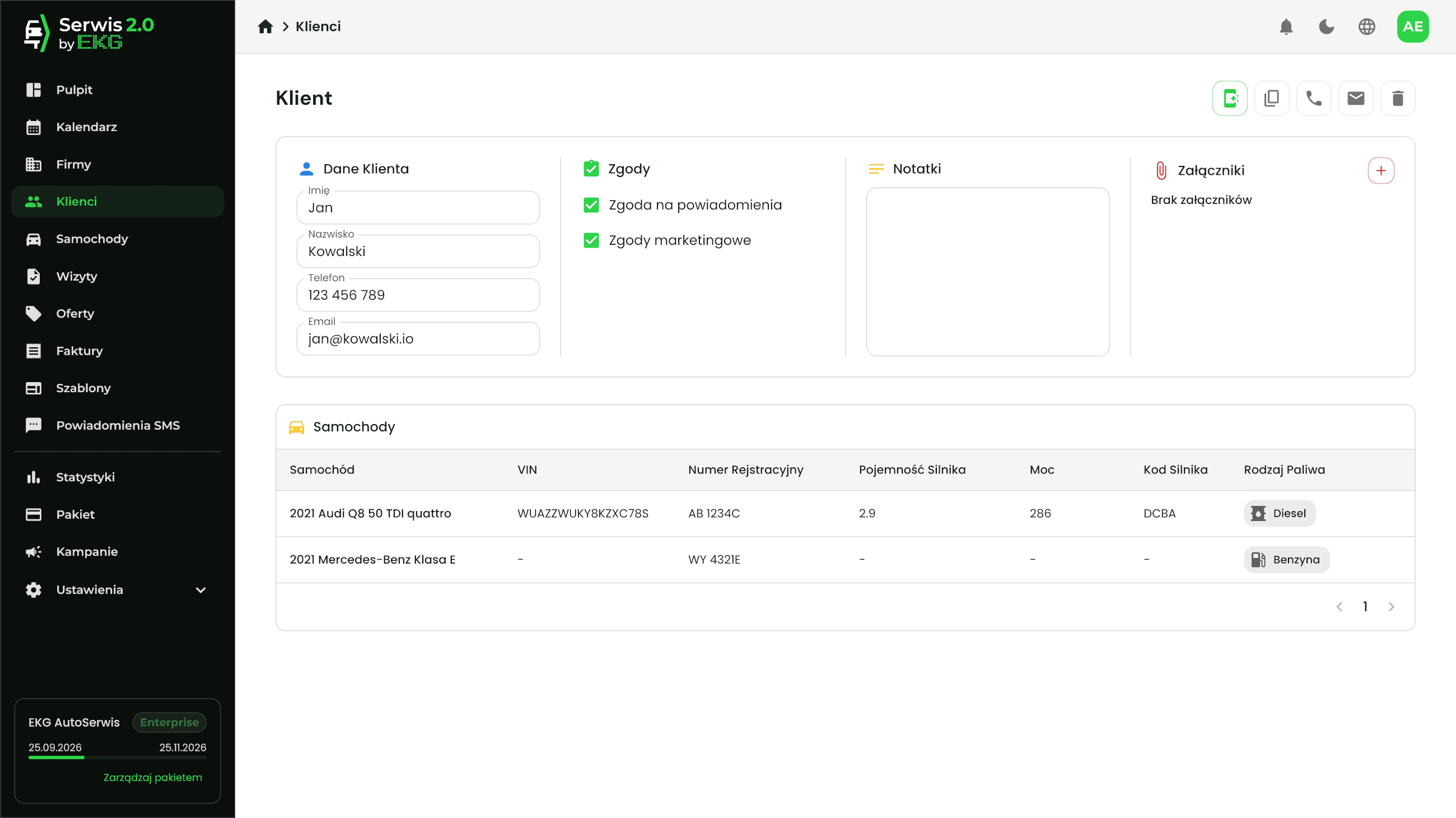
Complete records, so every advisor knows the client and their car.
Individual and business clients
Contact details, notification consents and linked cars.
Company details by tax ID
The company's name and address fill in automatically from its NIP (tax ID).
Vehicle records
Make, model, VIN, registration number, fuel type and technical data.
Service history
All of a vehicle's appointments in one place, also as a printout for the client.
Quickly add vehicles and clients
Add new cars, clients and companies while booking an appointment, without leaving the calendar.
Customer communication and internal notifications
Service 2.0 keeps your customers informed for you and reminds you of what is easy to forget.
Reminder the day before the appointment
The customer gets an SMS with the appointment time – automatically, no phone calls.
Car-ready SMS
When the work is done, the customer gets an invitation to collect the car, with the advisor's number.
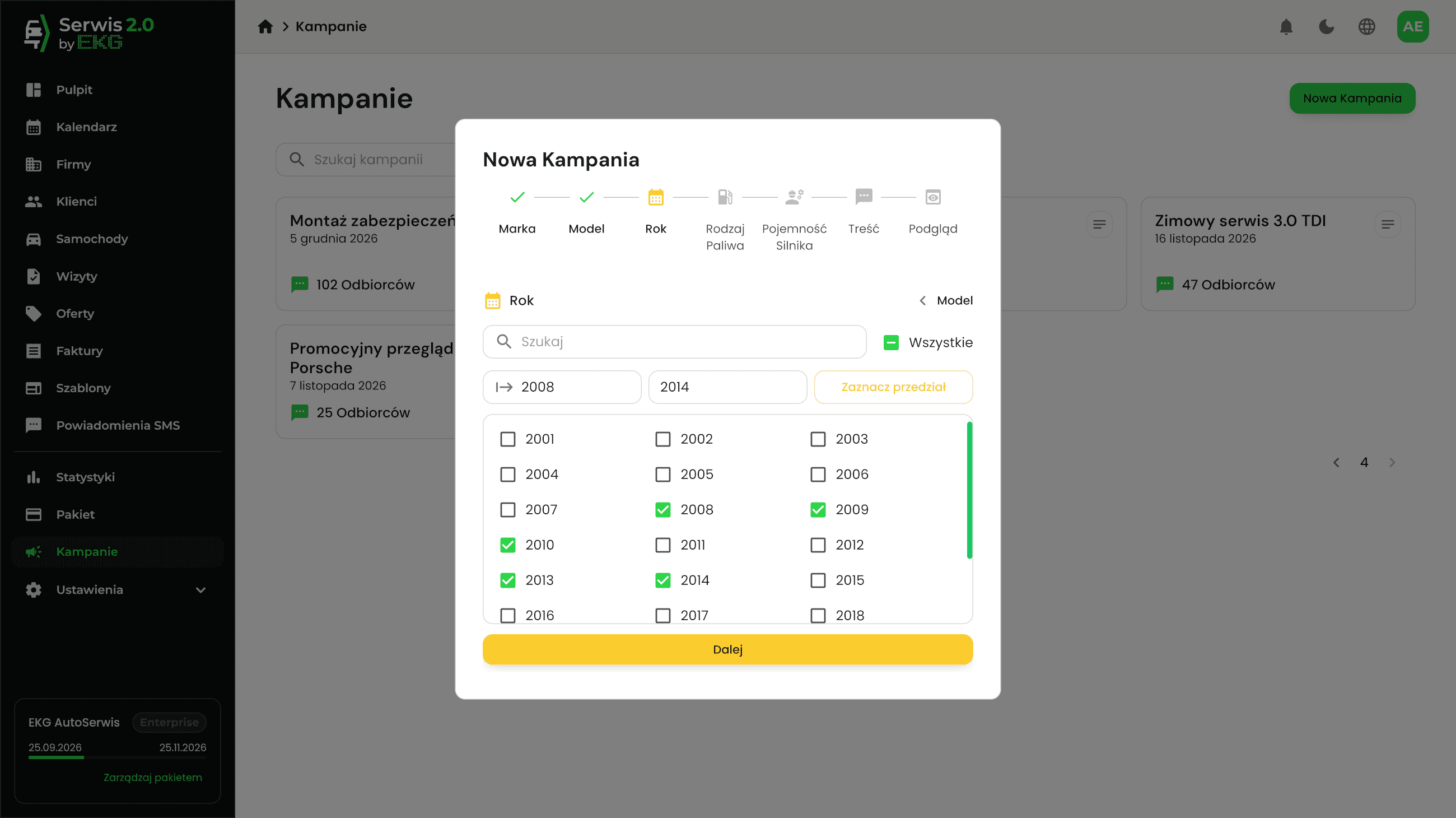
SMS campaigns
Marketing messages to customers, whose cars fit the filters that you selected.
Message history
A preview of every SMS sent.
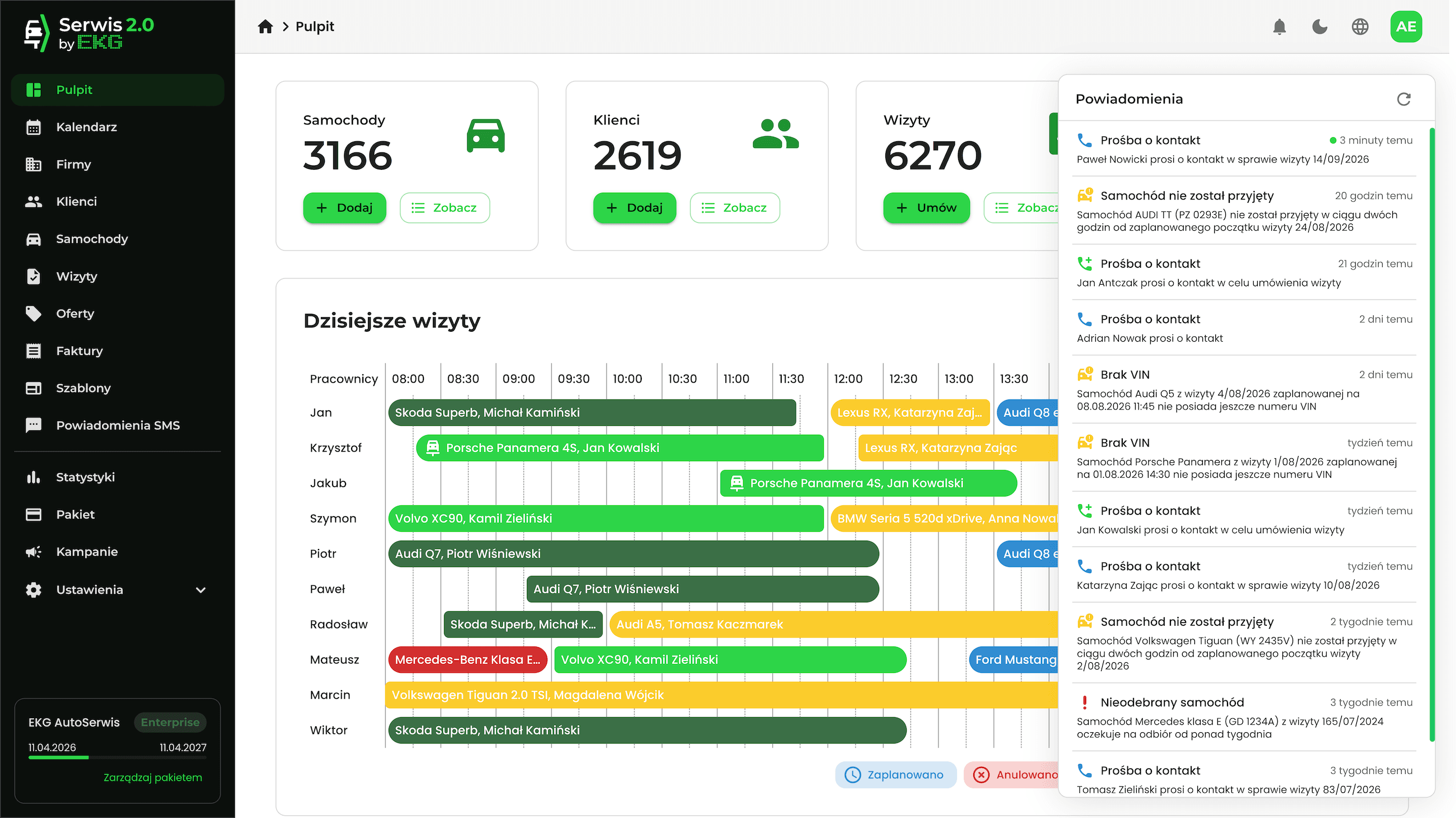
Automatic notifications
The Panel reminds you of cars not admitted or not collected, of a missing VIN before an appointment, and of other situations that need your attention.
Inter Cars e-Catalog integration and orders
Order parts without retyping data and always know which appointment they belong to.
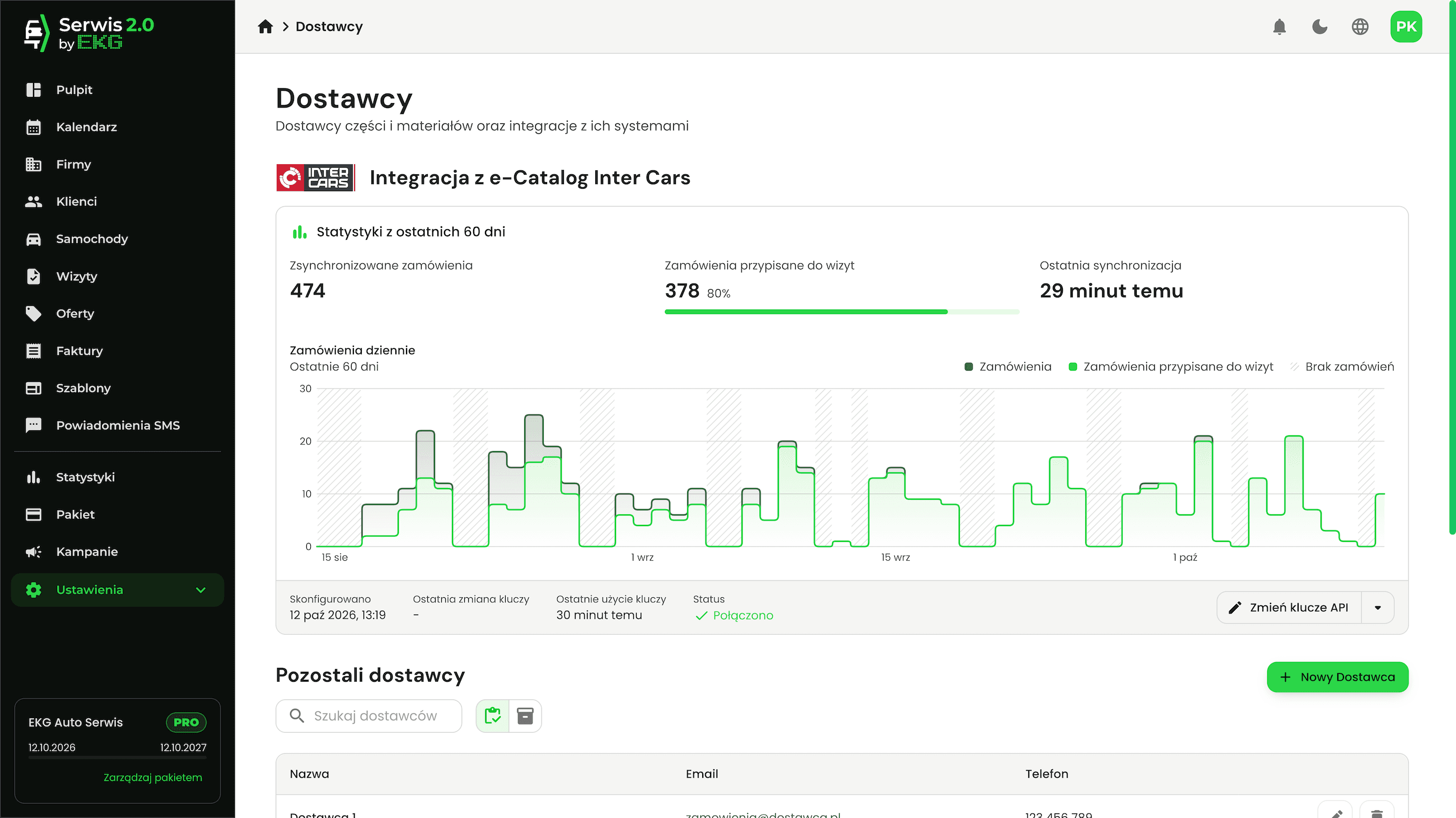
Inter Cars integration
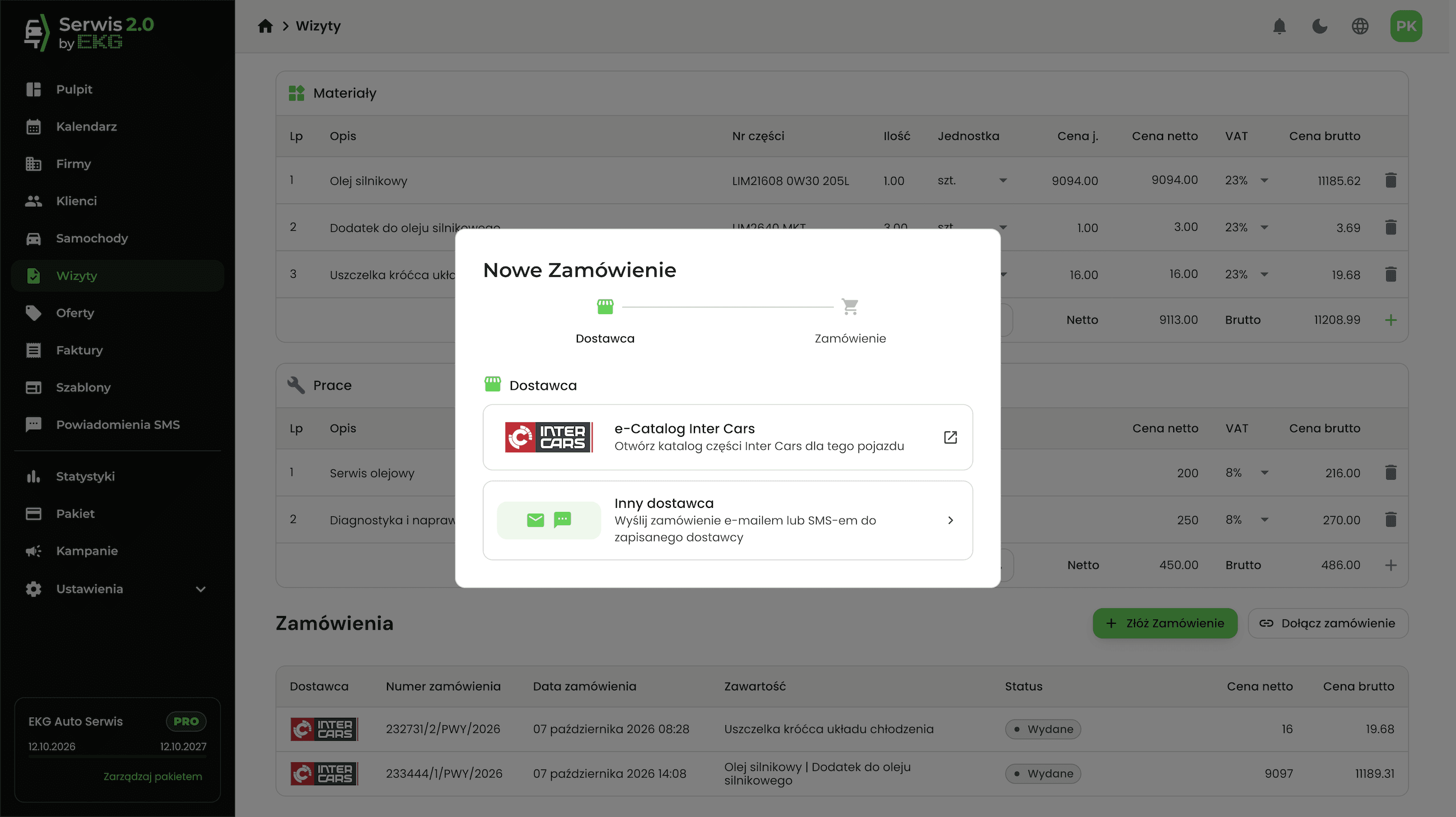
Connect your account with your own Inter Cars API keys and order parts in the e-Catalog.
Orders linked to appointments
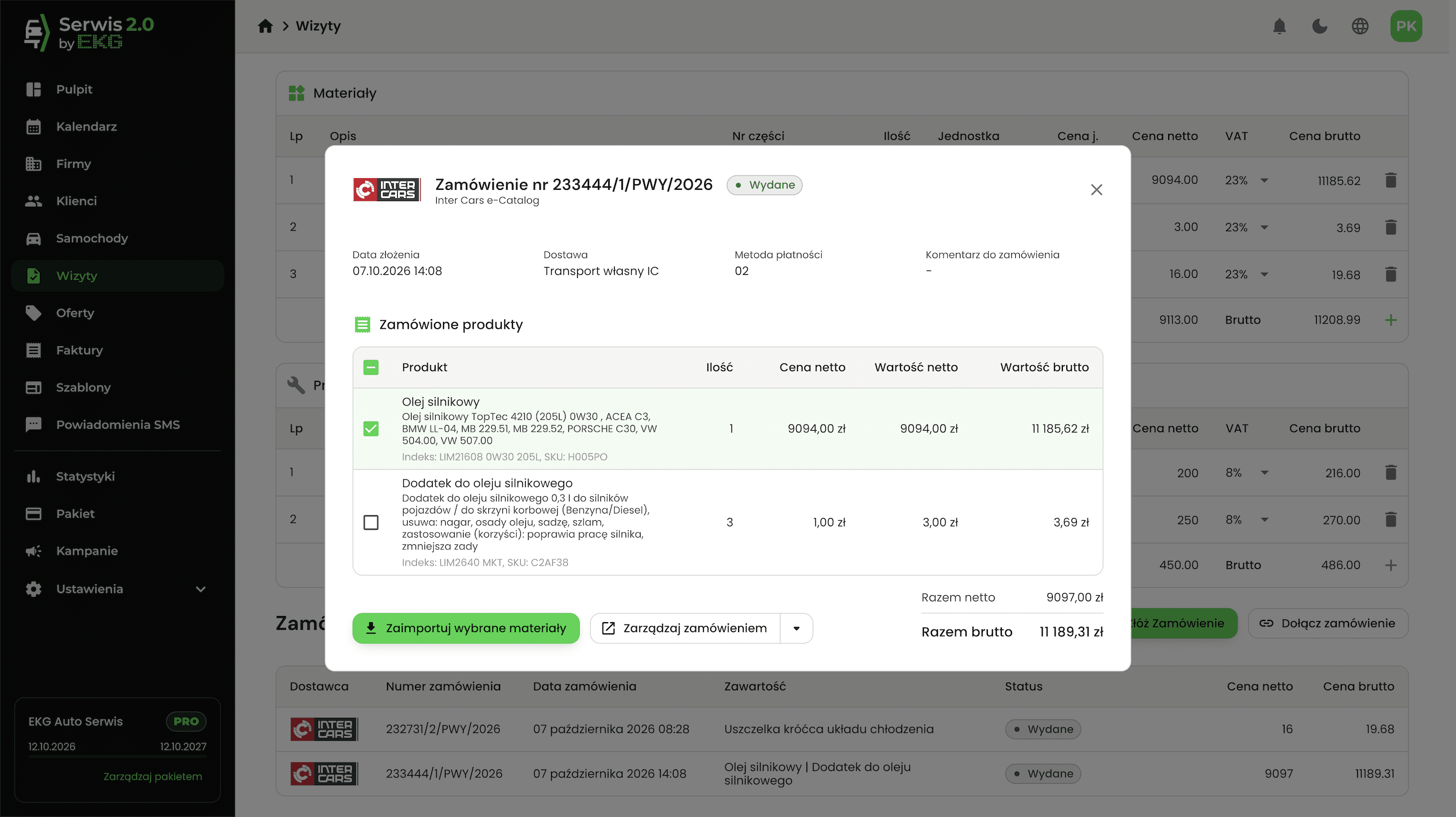
Inter Cars orders sync with the Panel and land in the right appointment.
No retyping data
Vehicle data for orders is passed on automatically from the appointment, and ordered materials can be imported into the appointment's specification with one click.
Orders to your own suppliers
Orders sent automatically to a saved supplier by email or SMS.
App for your customers
A web app under your workshop's brand, available in the Pro and Enterprise packages.
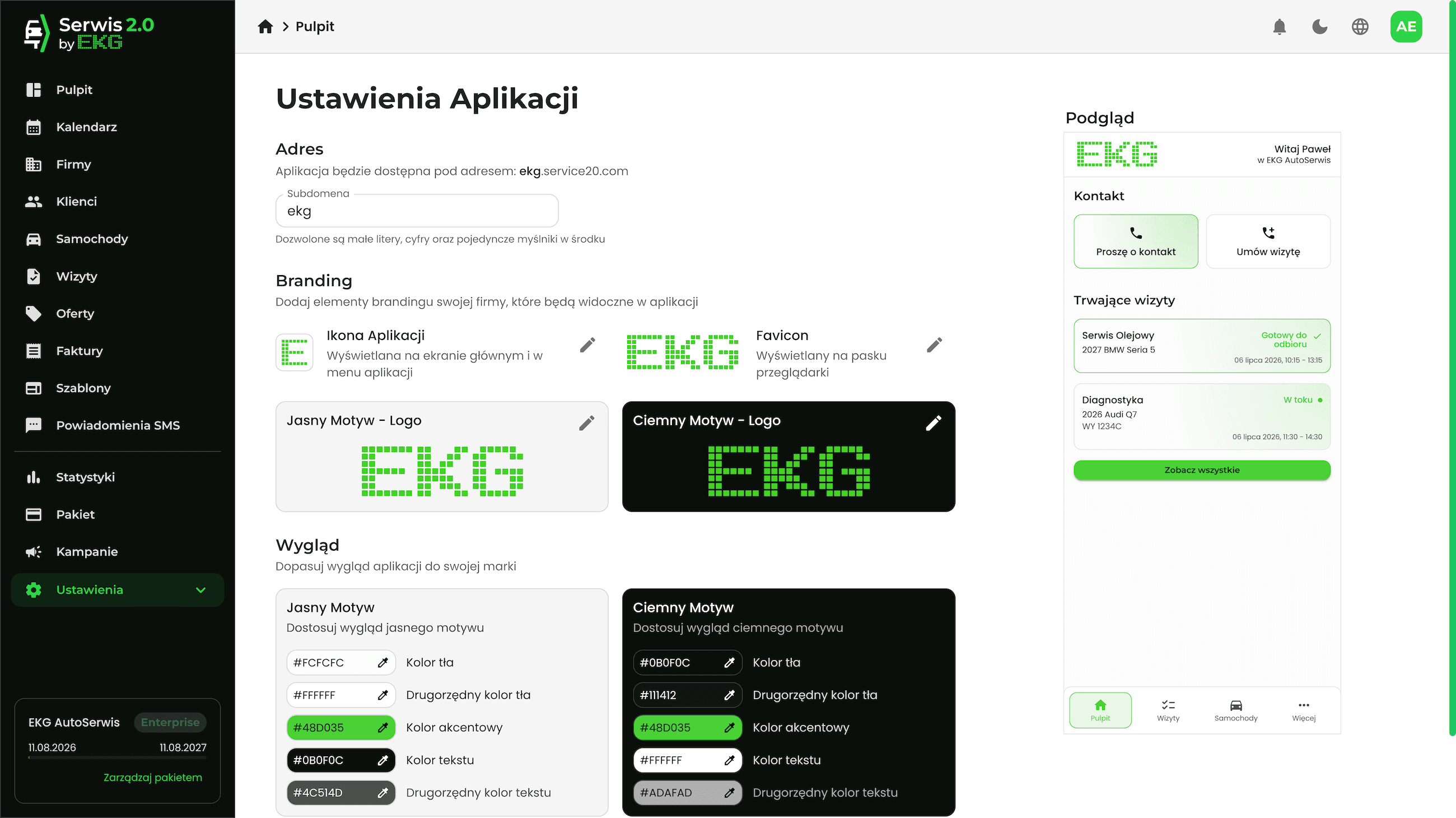
A perfect fit for your brand
Your own subdomain, logo, icon and colours, in light and dark themes.
Appointment status
The customer sees what stage their car is at and when it is ready for collection.
Cars and appointments
The customer's vehicles and their appointments at your workshop in one place.
Contact with the workshop
A contact request about an appointment, a booking or a quote goes straight to the Panel, with no queue on the phone line.
Easy sign-in and installation
Sign-in with a code from an email, installation on the phone's home screen and offline use.
Quotes and documents
Documents are created from the data already in the appointment.
Quotes
Prepare a quote for the client and, once accepted, turn it into an appointment with one click.
Clear PDF printouts
Job order, handover report, quote, checklist, order and service history – with your workshop's logo.
Team and statistics
Accounts for the whole team, and numbers that show how the workshop is doing.
Users and roles
Accounts for advisors with permissions matched to their role.
Switching with a PIN
Several advisors sharing one computer switch between accounts with a PIN, without having to type a longer password.
Employees and working hours
Mechanics with their working hours, shown in the calendar.
Statistics
Revenue, number of appointments, top clients, and the results of advisors and employees.
Reception screen
Information for customers shown on a screen in the waiting room.
Workshop networks
Users and settings of multiple workshops managed from one account.
Try Service 2.0 for 7 days
Free, with no payment card. Let Service 2.0 streamline the way your workshop runs.